Editorial revision: 30 October 2026. Portal check: 30 October 2026. We inspected the official Land Details Search options for survey and pattadar passbook numbers. The search page displayed a records-update date of 29 October 2026.
Want to check the pattadar name, survey number or extent recorded for your Telangana land? This guide explains how to look up land details on the official Bhu Bharati portal, with screenshots.
Choose the instructions for a survey number, pattadar passbook number or map lookup below. Compare the results with your documents, and read the correction guidance if you find a discrepancy.
Here is the short version. Go to bhubharati.telangana.gov.in — that is the only official site. On the homepage, open Land details search under Information Services. You can search by survey number or by pattadar passbook number, but not by name. You don’t need to log in, though you will have to type a CAPTCHA. And if you are about to buy land, read the Transaction Status line before anything else.
What is Bhu Bharati?
Bhu Bharati is the Telangana Revenue Department’s official land records portal. It replaced Dharani in April 2025, under the Telangana Bhu Bharati (Record of Rights in Land) Act, 2025. The records that used to be on Dharani are now here, so if you are still searching for “Dharani land details”, this is where you will find them.
The portal tells you whether your name is recorded correctly, whether the extent is right, whether the land has landed on the prohibited list, and whether there is a court case against it. For anyone buying land, it is an essential first check.
One thing to keep in mind: in April 2026 the government began piloting a new “Integrated Bhu Bharati” portal in a few mandals. If yours is one of them, your screens may look a little different from the ones in this guide.

What the results page tells you
The results come in two parts: details of the owner (pattadar) and details of the land. Most fields are self-explanatory — the owner’s name, father’s or husband’s name, the khata number (which groups all of one owner’s land), the passbook number, whether e-KYC is done, the extent in acres and guntas, and the survey number.
A few need a word of explanation. Land Status shows whether the record is digitally signed. Nature of Land tells you if it is patta land; Classification shows its category (for example, Metta/Dry); and Land Type says whether it is agricultural. Market value is the government’s value for that survey number, in rupees.
The field that matters most is Transaction Status. If a court has stayed or blocked dealings in the land, this is where you will see it, in plain words: “There is a Court Stay/ Injunction or Court order…”. Buy land with that warning on it and you risk a stalled registration and years in court.

If you want to understand prohibited (22A) lands in detail, read our earlier guide, 22A Land: Buy or Sell? (in Telugu), before you buy.
Searching by survey number
You will need four things: the district, mandal, village and survey number. All of them are in your passbook, an old pahani or your sale deed.
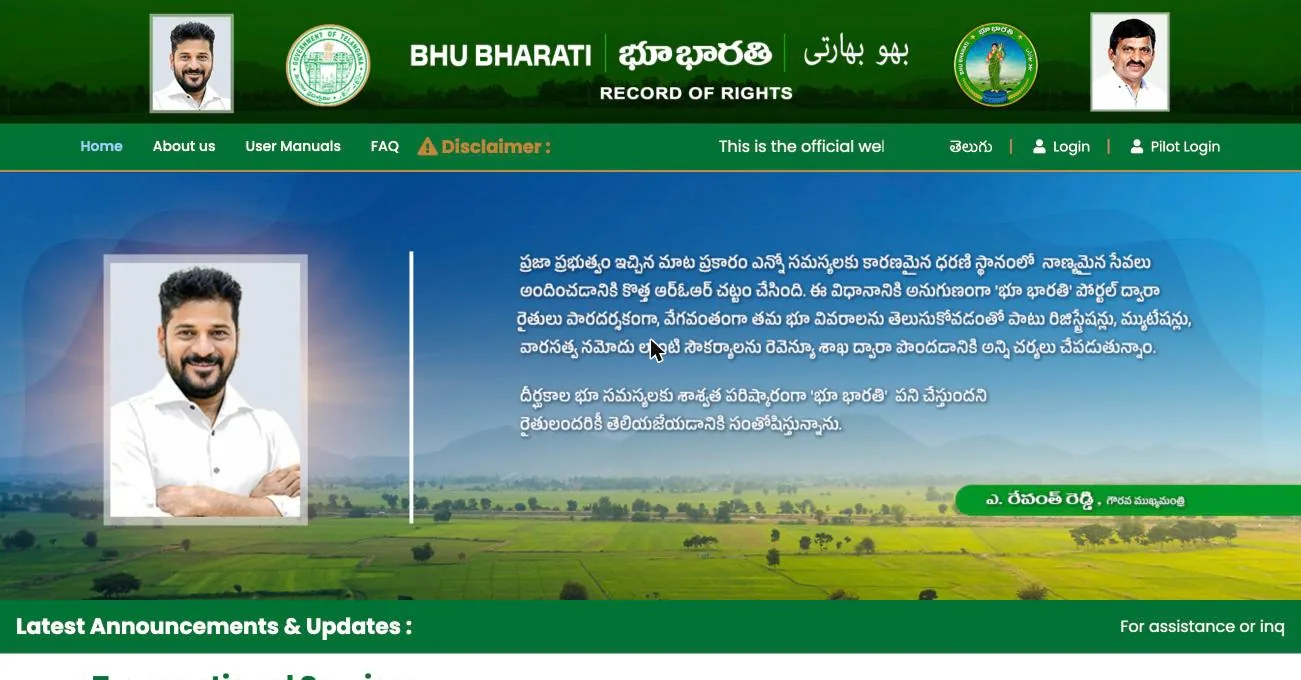
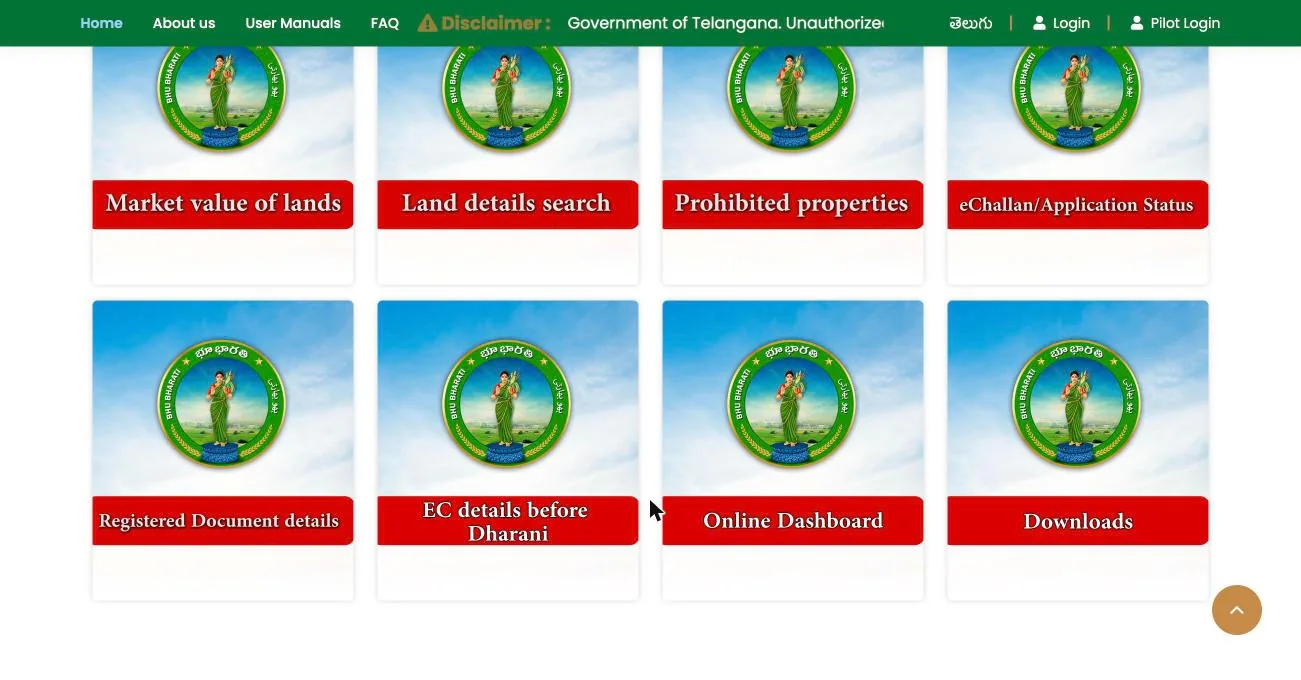
Open bhubharati.telangana.gov.in in your browser. Scroll down the homepage to Information Services and click Land details search — or go straight to the Land details search page.
The search form opens with “Survey No./ Sub-Division No.” already selected. Choose your district first, then the mandal, then the village — each list fills in only after you pick the one before it.
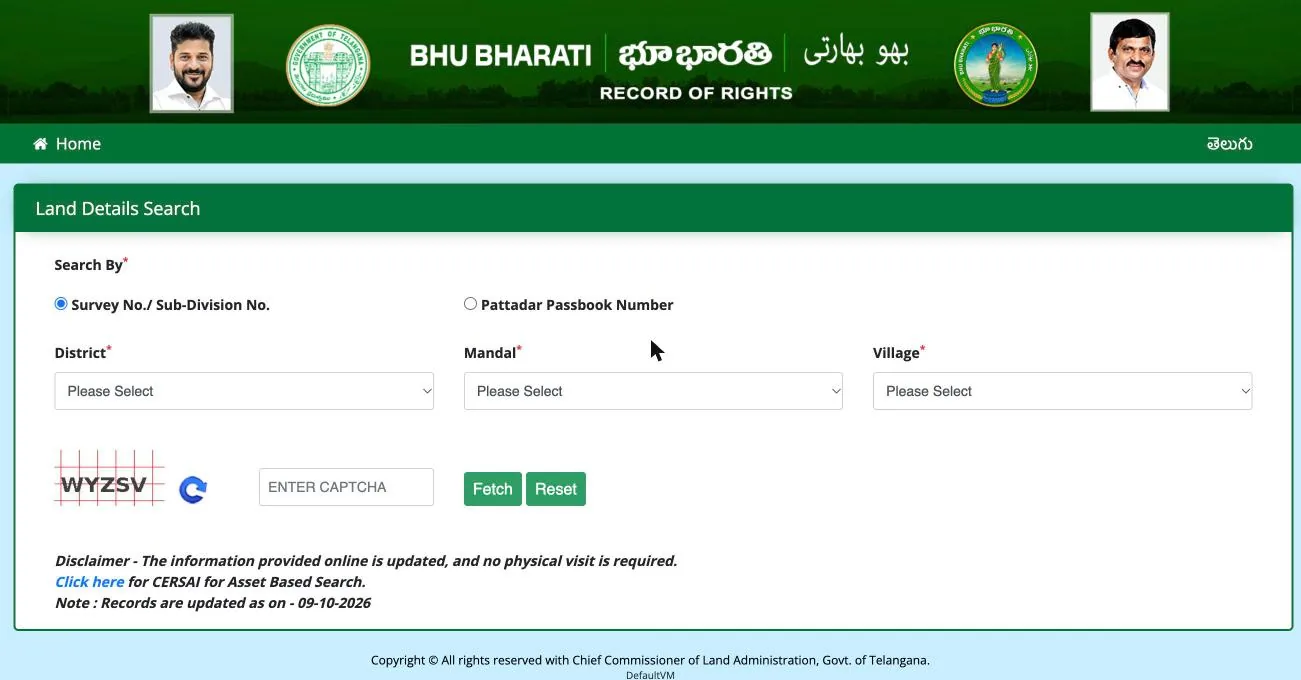
Next comes the survey number. Note that you don’t type it; you pick it from a dropdown that lists every number in the village, and some villages have thousands. Choose it exactly as it is written in your passbook. As soon as you do, a Khata No. box appears. If several people own parts of that survey number, this is where you choose whose record you want.

Type the letters from the CAPTCHA image and click Fetch. If the letters are hard to read, the blue refresh button gives you a new one. The owner and land details then appear lower down on the same page.


One small trap to watch for: sub-divisions are marked with Telugu letters, such as 203/అ (a) and 203/ఆ (aa). These are two different plots. Pick the wrong letter and you will either be looking at someone else’s land or wondering why your number has vanished.
At the bottom of the page you will see “Records are updated as on” with a date. The record reflects changes only up to that date.
Searching by passbook number
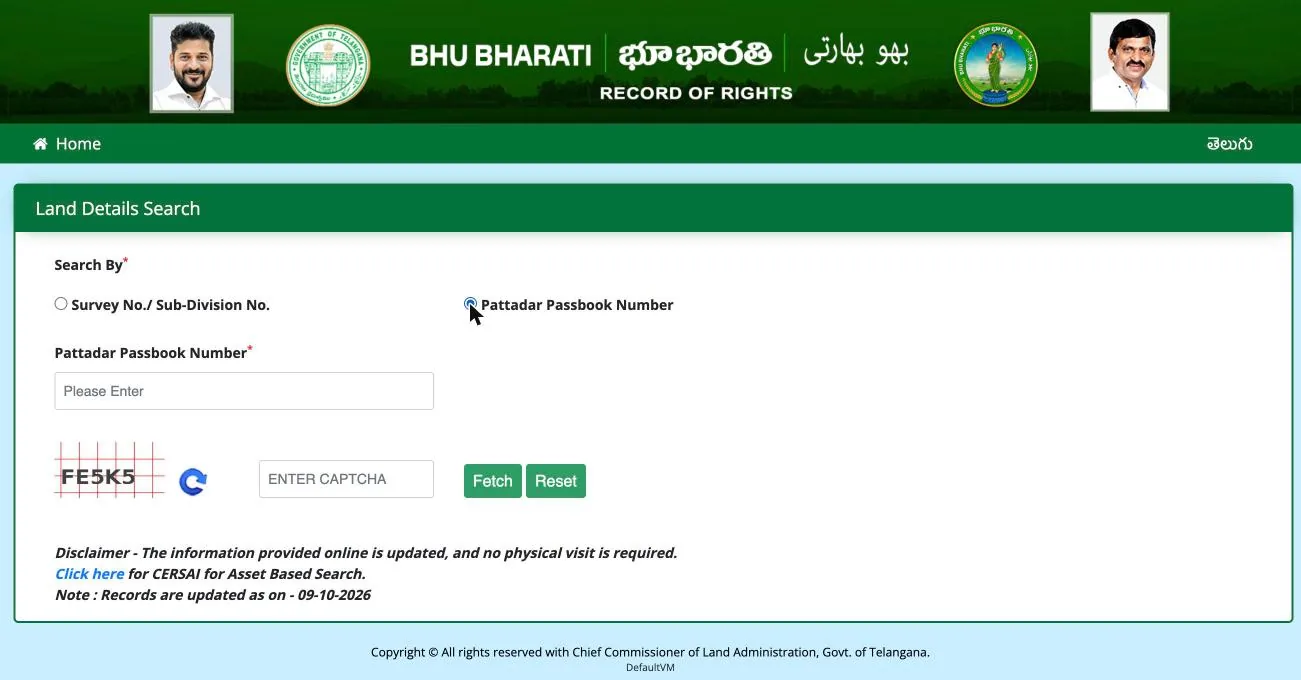
If you have your pattadar passbook, the search is even simpler, because you don’t have to pick the district, mandal or village. Choose Pattadar Passbook Number on the search page, type the number from your passbook, enter the CAPTCHA and click Fetch. If the screen also asks for the first four digits of your Aadhaar (or the relevant ID for NRI or institutional land), fill that in too.
Can you search by name?
No. This is one of the most common questions, and the answer is simple: the official portal has no search by name. The survey number and the passbook number are the only two ways in. You also cannot search with an Aadhaar number alone.
Some websites claim you can search by name. They are not government sites, so treat them with caution.
If you don’t know your survey number, it is usually easy to find. It is printed in your pattadar passbook along with your khata number. It also appears in the schedule of your sale deed, and in old pahani or 1-B copies if you have them at home. For inherited land, look through your family’s old papers. If none of that works, your mandal Tahsildar’s office can help.
Seeing your land on the map
Bhu Bharati also has a satellite map, though you won’t find a link to it on the homepage. Go straight to bhubharati.telangana.gov.in/gis/. Choose your district, division, mandal and village in the panel on the left, type the survey number in the box at the top and click the search icon. Click on the plot and its details appear under Parcel Info.
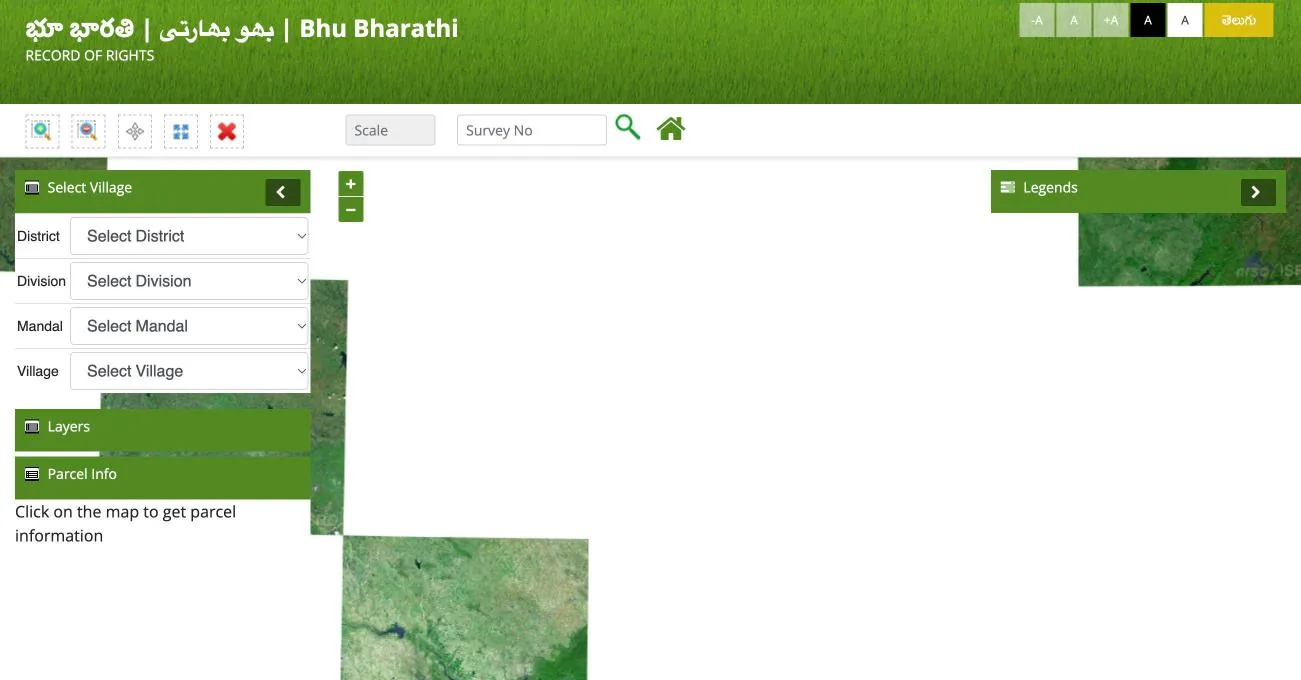
This is worth doing before any purchase. It lets you check that the plot the seller is showing you is actually the one that matches the survey number on paper. Maps for some villages may not be complete yet; where they are missing, the land details search is your main reference.
What to do if something is wrong
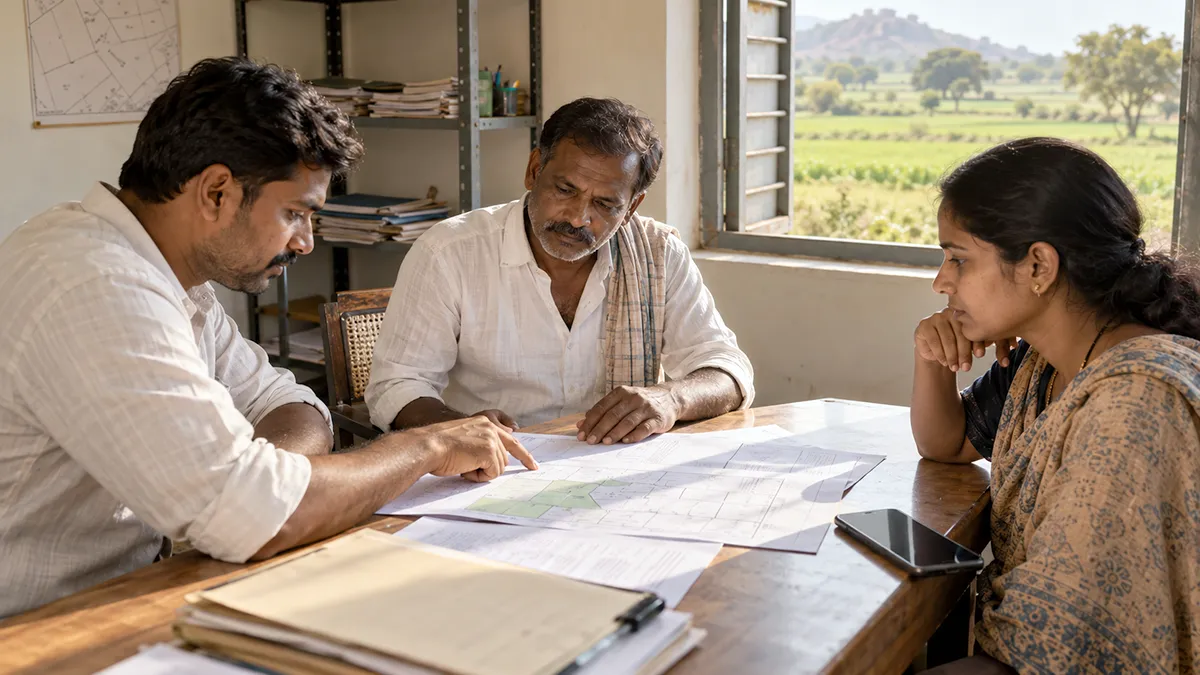
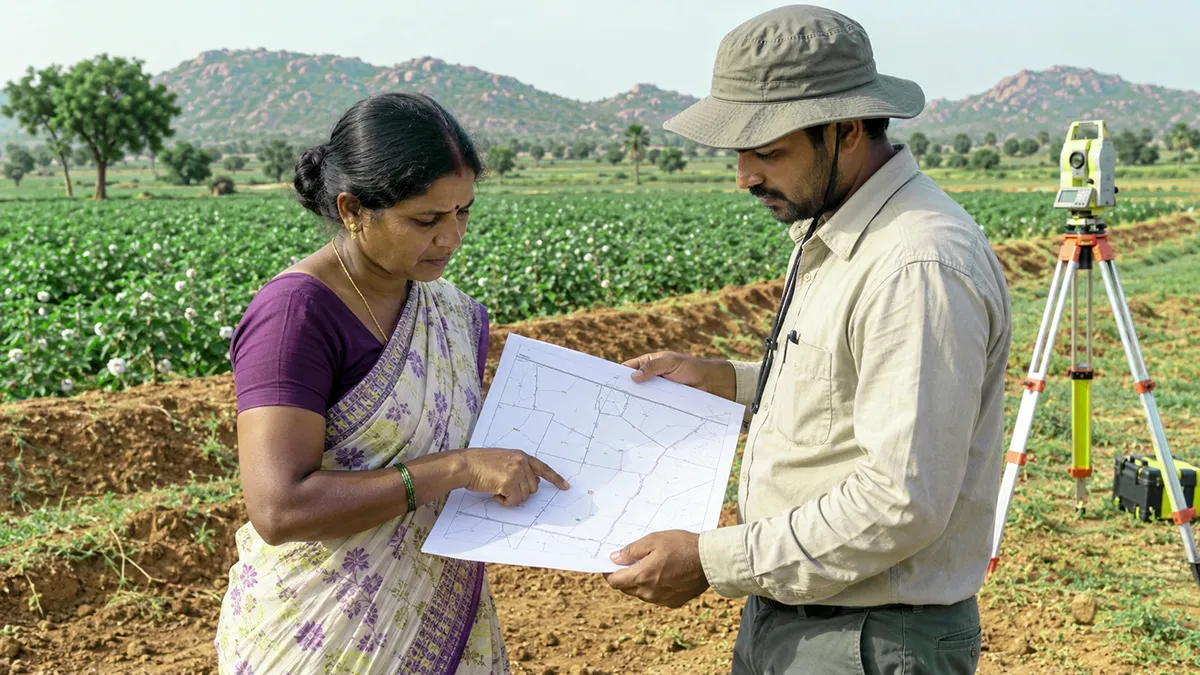
If you spot a mistake — a misspelt name, the wrong extent, a survey number that has gone missing — you can apply for a correction online. You will need to log in first, using the Login button at the top right of the homepage, and then open the ROR Corrections card. The portal’s FAQ calls the same thing the “Modification Request Application”, so don’t be thrown by the two names.
Inside, you choose the option that fits your problem: Change of name, Extent Correction, a change in the nature or classification of the land, or Missing Survey number. If your land has been wrongly placed on the prohibited list, there is a separate grievance option for that. And if you need to block dealings in a plot because of a court case, or lift such a block, there is a Court Cases & Intimation section where you upload the court order; the District Collector decides on unblocking.
According to the official user manual, you click New Request, fill in the details, upload your supporting documents, pay the fee online and complete e-KYC. The application goes to the Tahsildar, and depending on the type of correction and the value of the land, the RDO or the Collector takes the final decision. You can follow its progress in the eChallan/Application Status card on the homepage. The portal helpline is 040-29313999, from 10 am to 5 pm.
The rules behind all this are in G.O.Ms.No.39 of 2025, and a few points are worth knowing.
Deadline. You must apply within a year — either of 14 April 2025, when the Act came into force, or of the date the wrong entry appeared on the portal (Rule 4(1)). The first of these windows closed on 13 April 2026, and as of writing we have not seen an extension. But a mistake that was entered more recently still has its own one-year window, so it is worth applying either way; if you are turned down, you can appeal. Your Tahsildar’s office can tell you where things stand.
Fee. A correction or an appeal costs ₹1,000. If you do your e-KYC at a MeeSeva centre, you pay their service charge as well. Pay only through the portal, and never hand cash to anyone who promises to “get it done fast”.
Documents. You will need an affidavit, along with copies of your old passbook or title deed, pahanis and any registered deeds (Rule 4(2)).
Who decides. For a missing survey number or a wrong extent, the RDO decides if the land is worth less than ₹5 lakh and the Collector if it is worth more. Name corrections go to the RDO for patta land and to the Collector for assigned land. Changes to the nature of the land go to the Collector (Schedule-A).
How long it takes. Notices go to everyone concerned, who get seven days to object. The officer must then pass a reasoned order within 60 days (Rules 4(3)–4(7)).
Appeals. You have 30 days to appeal: a Tahsildar’s order goes to the RDO, the RDO’s to the Collector, and the Collector’s to the Land Tribunal (Rule 14). If the case turns into a serious ownership dispute, the officer may send you to a civil court instead (Rule 13).
Free legal help. Poor applicants, Scheduled Castes and Tribes, women and people with disabilities can get free legal aid through the Mandal and District Legal Services Authorities (Rule 16).
A few precautions
Use only the official site. The real portal is bhubharati.telangana.gov.in, and it always ends in .gov.in. Search “Bhu Bharati” on Google and many of the top results are private sites ending in .org or .com. Some of them offer options that don’t exist, like searching by name or by Aadhaar. Never enter your Aadhaar, passbook details or an OTP on any of them.
Don’t pay for free information. Looking up land details needs no login and costs nothing. If an agent offers to “get your land details” for a fee, you don’t need him — you can do it yourself in two minutes.
If you are buying land, check these four things first:
- ☐ Is the seller named as the pattadar in the land details search?
- ☐ Does Transaction Status show any court stay or injunction?
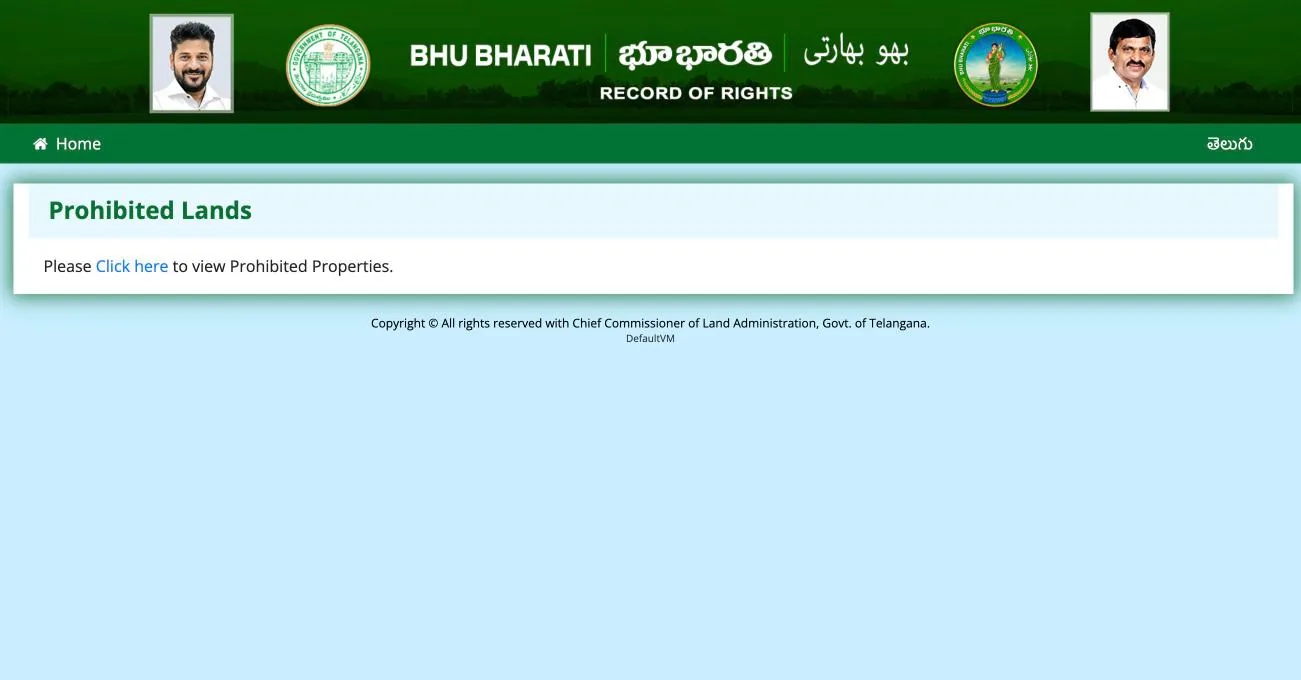
- ☐ Is the survey number on the prohibited list? (Click the Prohibited properties card on the homepage, then “Click here”.)
- ☐ Does the plot on the GIS map match the plot you are being shown?
Keep a screenshot. Save a screenshot of the record on the day you check it, with the date visible. If a dispute comes up later, it can help.
Frequently asked questions
Do I need to log in to see land details? No. Searching is open to everyone. You need to log in only to apply for something, such as a correction or a mutation.
Can I search by name? No. Only a survey number or a pattadar passbook number will work.
Can I use it on my phone? Yes. Open bhubharati.telangana.gov.in in your phone’s browser and follow the same steps. Be wary of apps calling themselves “Bhu Bharati” in app stores; don’t install one or enter personal details unless you are sure it is official.
What happened to my Dharani records? They have moved to Bhu Bharati. For encumbrance (EC) details from before the Dharani era, there is a separate “EC details before Dharani” card on the homepage.
My survey number isn’t in the list. What now? First check that you picked the right Telugu letter (అ, ఆ and so on) and sub-division. If it really is missing, log in and apply under the Missing Survey number option.
Are there any fees? Looking up land details is free. Applications are not. Under G.O.Ms.No.39 of 2025, a correction or appeal costs ₹1,000, a certified copy of the record ₹10, a pattadar passbook ₹300, and a mutation or succession ₹2,500 per acre (₹62.50 per gunta). The amount the portal shows when you pay is the final one.
How current is the information? Each results page shows a “Records are updated as on” date at the bottom. When we wrote this guide, it read 09-10-2026.
Sources: Bhu Bharati official portal · Land Details Search · GIS map · Bhu Bharati FAQ · G.O.Ms.No.36 (Act commencement, 14-04-2025) · G.O.Ms.No.39 (Rules and fees) · Passbook Data Correction user manual. All checked on 11 October 2026. This guide is meant to help you understand the process; it is not legal advice. For land purchases and disputes, please consult a lawyer.